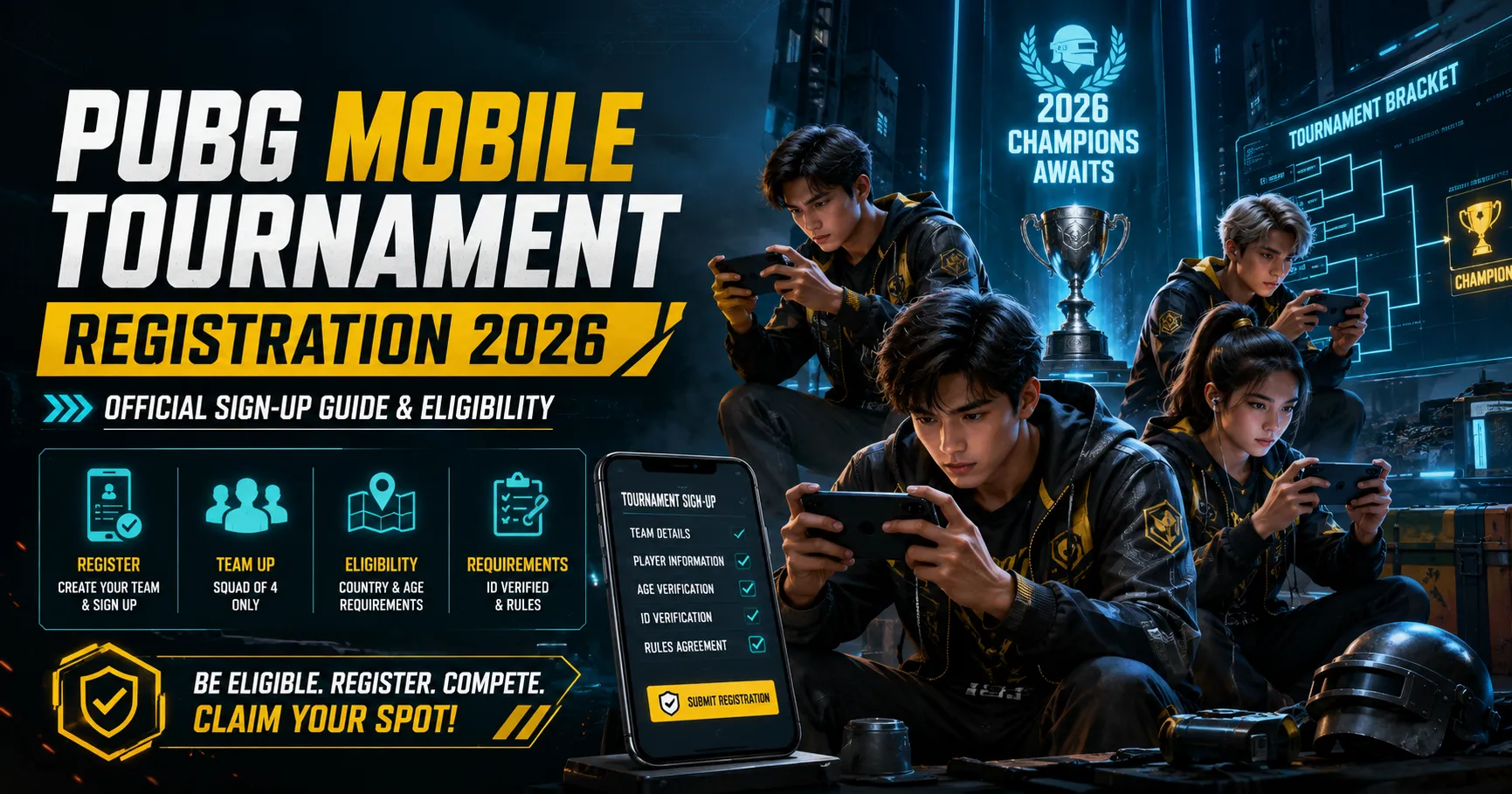
PUBG Mobile tournaments allow skilled players to compete beyond normal ranked matches. Depending on your country and region, your team may enter through an in-game qualifier, national championship, regional event, or another official open competition.
The 2026 PUBG Mobile esports system includes in-game qualifiers, national and regional championships, PUBG Mobile Global Open, PUBG Mobile World Cup, and PUBG Mobile Global Championship.
However, registration dates, eligible countries, competition formats, and qualifier schedules may be different for every region. Players should always check the official PUBG Mobile Esports platform before submitting their team information.
This guide explains how PUBG Mobile tournament registration usually works, who can participate, which details are required, and which mistakes may cause a team to be rejected.
Important: This is an independent informational guide. Tournament dates, formats, and eligibility requirements may change. The rules displayed on the official registration page should always be treated as final.
PUBG Mobile Tournament Eligibility at a Glance
The following table summarizes the common requirements for official PUBG Mobile tournaments in 2026.
| Requirement | General rule |
|---|---|
| Minimum player age | Usually at least 16 years old |
| Players below legal adult age | Parent or legal guardian consent may be required |
| In-game qualifier roster | Usually four to six players |
| Starting lineup | Four active players |
| Substitute players | Up to two substitutes |
| Playing for multiple teams | Usually not allowed during the same competition |
| Allowed devices | Android or iOS mobile phones |
| Emulator use | Not allowed |
| Controllers and peripherals | Not allowed unless officially approved |
| Residency | Must meet the tournament’s regional requirements |
| Identity documents | ID card, passport, or residency document may be required |
| Event-specific conditions | May be stricter than the general competition rules |
Players normally need to be at least 16 years old by the tournament’s official starting date.
A player who meets the minimum age but is still legally considered a minor may need permission from a parent or legal guardian.
How to Register for a PUBG Mobile Tournament in 2026
The exact registration process may be different for each event, but most official open qualifiers follow similar steps.
1. Visit the Official PUBG Mobile Esports Platform
Start your registration through the official PUBG Mobile Esports website, official in-game event page, or a verified regional esports account.
Look for sections such as:
- Open Qualifiers
- Registration Form
- In-Game Qualifier
- Upcoming Tournaments
- National Championship
- Regional Championship
- PMGO Registration
Do not register through random links posted in unofficial WhatsApp groups, social media comments, or private messages.
2. Select Your Tournament and Region
Choose the tournament available for your country or esports region.
PUBG Mobile competitions may be divided into regions such as:
- Central and South Asia
- Southeast Asia
- Middle East and Africa
- Europe
- North America
- South America
- Other national or regional zones
Do not register your team in another country simply because its registration form is available.
Tournament organizers may check your nationality, legal residence, identification documents, and account information.
3. Read the Tournament Rules
Before registering, read the complete rules of the selected tournament.
The event rules may include:
- Eligible countries
- Minimum player age
- Registration opening date
- Registration deadline
- Qualifier schedule
- Required player rank
- Approved maps
- Match format
- Scoring system
- Team size
- Check-in requirements
- Communication platform
- Device restrictions
- Residency requirements
A tournament may have stricter requirements than the general PUBG Mobile competition rules.
Every squad member should understand the rules before the captain submits the form.
4. Choose a Responsible Team Captain
Every team should select a captain.
The captain is normally responsible for:
- Completing the registration form
- Checking emails and official messages
- Communicating with tournament officials
- Confirming match schedules
- Managing the team roster
- Completing the required check-in
- Sharing announcements with squad members
Choose a captain who is active, responsible, and available during the tournament period.
5. Enter Accurate Team Information
The registration form may ask for:
- Team name
- Team captain’s name
- Email address
- Phone number
- Country or region
- PUBG Mobile Character ID
- In-game name
- Date of birth
- Substitute-player information
- Identification details
Enter every detail carefully.
A wrong Character ID, incorrect date of birth, or spelling difference in a legal name may create verification problems.
6. Accept the Rules and Submit the Form
Before submitting the registration form, the captain may need to confirm that:
- All information is correct
- Every player meets the minimum age
- The team meets residency requirements
- Every member accepts the tournament rules
- No player is registered with another team
- The team will follow competitive-integrity rules
After submission, take a screenshot of the confirmation page.
Also save any team number, registration code, email confirmation, or application reference provided by the organizers.
7. Check for Confirmation and Qualifier Instructions
Submitting the registration form does not always mean that your team has been accepted.
Tournament officials may contact the captain through:
- In-game notification
- Official messaging platform
- Tournament dashboard
- Discord or another approved communication channel
Check the email inbox, spam folder, and official tournament announcements regularly.
Missing a check-in deadline or match-lobby message may result in disqualification.
Information to Prepare Before Registration
Preparing your information in advance can help prevent mistakes.
| Information | Why it may be required |
|---|---|
| Captain’s legal name | Identity and contact verification |
| Captain’s email address | Official tournament communication |
| Phone number | Emergency or verification contact |
| Team name | Registration and match listing |
| Player gamer tags | Roster identification |
| PUBG Mobile Character IDs | Game account verification |
| Dates of birth | Minimum-age verification |
| Government-issued ID | Identity and residency confirmation |
| Parent or guardian consent | Required for eligible minor players |
| Country of residence | Regional eligibility |
| Substitute-player details | Completing the full roster |
| Passport details | May be required for international stages |
| Team logo | May be requested for official broadcasts |
| Social media information | Sometimes required for player profiles |
Use the same spelling of each player’s legal name across the registration form, identity card, passport, and other official documents.
PUBG Mobile Team Size Rules
Official squad competitions normally use four active players in each match.
Depending on the tournament, teams may be allowed to register:
- Four starting players only
- Four starting players and one substitute
- Four starting players and two substitutes
A full roster may therefore contain four to six players.
| Team role | Common number |
|---|---|
| Active starting players | 4 |
| Substitute players | 0 to 2 |
| Maximum common roster size | 6 |
| Team captain | Must be a registered team member |
Registering substitute players can be useful if a starting player becomes unavailable because of illness, travel issues, internet problems, or another valid reason.
However, substitute players must also meet all age, residency, identity, and account requirements.
Residency and Regional Eligibility
A player’s region is generally based on their main legal residence.
Organizers may ask for proof such as:
- National identity card
- Passport
- Residency permit
- Government-issued address document
- Other approved legal evidence
A tourist visa, student visa, work visa, or temporary stay may not automatically make a player eligible to represent that country.
Never provide false residency details.
Incorrect or misleading information may result in:
- Registration rejection
- Team disqualification
- Removal from the tournament
- Suspension from future events
- Other disciplinary action
Is a Passport Required?
A passport may not be required during the first online registration or in-game qualifier.
However, a valid passport may become necessary if the team qualifies for:
- National finals
- Regional finals
- International events
- PUBG Mobile Global Open
- PUBG Mobile World Cup
- PUBG Mobile Global Championship
- An offline LAN competition
Players who want to compete internationally should check their passport validity early.
Do not wait until after qualification to apply for or renew a passport.
Which Devices Are Allowed?
Official PUBG Mobile tournaments are normally played on Android or iOS mobile phones.
The following devices and accessories may be prohibited:
- PC emulators
- Gaming controllers
- Bluetooth keyboards
- Computer mice
- Unauthorized adapters
- Modified devices
- Unapproved external peripherals
Unless tournament officials clearly approve an accessory, players should compete using standard touchscreen controls.
Before the qualifier:
- Update PUBG Mobile from the official app store
- Charge your device fully
- Test your internet connection
- Free enough storage space
- Close unnecessary background applications
- Test your microphone and team voice chat
- Disable distracting notifications
- Check your device temperature
- Keep a charging cable or power bank available
Do not install unofficial performance tools, modified game files, scripts, plug-ins, or third-party cheating software.
Common PUBG Mobile Registration Mistakes
| Mistake | Possible result |
|---|---|
| Entering the wrong Character ID | Player cannot be verified |
| Using a nickname instead of a legal name | Identity mismatch |
| Entering an incorrect date of birth | Age-verification failure |
| Registering an underage player without consent | Registration rejection |
| Adding one player to multiple teams | Roster conflict or disqualification |
| Choosing the wrong region | Residency-verification failure |
| Using an offensive team name | Team name rejection |
| Changing players after the deadline | Roster may become invalid |
| Ignoring official emails | Missed qualifier or check-in |
| Submitting incomplete information | Application may be rejected |
| Providing false documents | Suspension or disqualification |
| Using an unofficial registration page | Risk of fraud or account theft |
Review the complete form at least twice before submitting it.
Ask every player to confirm their Character ID, gamer tag, date of birth, and legal name.
Team Name and Logo Rules
Your team name should be professional, unique, and easy to recognize.
Avoid names containing:
- Hate speech
- Abusive language
- Sexual wording
- Discriminatory terms
- Political extremism
- Threats
- Trademark misuse
- Another esports organization’s name
Tournament officials may reject a team name or logo that violates competition standards.
Use the same team name across your registration form, social media accounts, and communication platforms.
How to Avoid Fake Tournament Registration Pages
Interest in PUBG Mobile esports can attract scammers who create fake registration forms.
Use these safety checks:
- Start registration through the official PUBG Mobile platform.
- Check whether the tournament is announced by verified PUBG Mobile channels.
- Never share your account password.
- Never share your email password.
- Never give anyone a one-time verification code.
- Do not provide remote access to your phone.
- Do not pay an unknown person for a guaranteed tournament slot.
- Check the spelling and appearance of the registration page.
- Ask why identity documents are required before uploading them.
- Save screenshots of the registration and confirmation pages.
Tournament organizers may need your PUBG Mobile Character ID, but they should not need your account password.
What Happens After Registration?
After submitting the registration form, the team may go through several stages.
These may include:
- Application review
- Player identity verification
- Roster verification
- Eligibility checking
- In-game check-in
- Qualifying matches
- Group stages
- Online playoffs
- National finals
- Regional finals
- International competition
- Offline LAN event
The captain should monitor all official communication and immediately share important updates with the squad.
How to Prepare for the Qualifier
Registration is only the first step.
Your team should prepare by working on:
- Landing locations
- Backup landing locations
- Early-game fights
- Loot distribution
- Vehicle routes
- Zone rotations
- Communication calls
- Grenade usage
- Team formations
- Player roles
- End-zone strategy
- Revival priorities
- Substitute-player readiness
Each player should know their main role.
| Role | Main responsibility |
|---|---|
| In-game leader | Makes rotations and major decisions |
| Entry fragger | Starts close-range engagements |
| Support player | Provides utility, cover, and assistance |
| Scout | Collects information about enemies and routes |
| Sniper or long-range player | Controls distance and applies pressure |
| Substitute | Replaces an unavailable registered player |
The exact roles may change depending on your team’s style.
Final Registration Checklist
Use this checklist before submitting your team application.
| Check | Completed |
|---|---|
| Tournament is officially announced | ☐ |
| Registration is open for your country | ☐ |
| Every player meets the age requirement | ☐ |
| Parent or guardian consent is available if needed | ☐ |
| Team has enough eligible players | ☐ |
| Every Character ID is correct | ☐ |
| Legal names match identity documents | ☐ |
| Residency requirements are met | ☐ |
| Team name follows the rules | ☐ |
| Captain’s email and phone number are correct | ☐ |
| All players understand the competition rules | ☐ |
| Registration confirmation is saved | ☐ |
| Official communication channels are being monitored | ☐ |
Frequently Asked Questions
What is the minimum age for PUBG Mobile tournaments in 2026?
Players normally need to be at least 16 years old by the official tournament start date. Minor players may also need permission from a parent or legal guardian.
Can I register alone?
Most official PUBG Mobile esports competitions are squad-based. You will normally need a team of at least four eligible players.
How many players can be registered on one team?
Many tournaments allow four active players and up to two substitutes. The exact roster size depends on the event.
Can one player register with two teams?
A player is usually not allowed to compete for two teams during the same tournament or season.
Can I use an emulator?
No. Official PUBG Mobile competitions normally require players to use an Android or iOS mobile phone.
Are controllers allowed?
Controllers, keyboards, mice, adapters, and similar peripherals are generally not allowed unless tournament officials approve them.
Is PUBG Mobile tournament registration free?
Many official open qualifiers are free to enter. However, teams may still have personal costs such as internet, travel, passports, devices, or accommodation at later stages.
Never pay an unknown person who promises guaranteed qualification.
Do I need a passport to register?
A passport may not be required for the first online stage. It may become necessary if your team qualifies for an international or offline event.
Can I change my team after registration?
Roster changes may be limited or completely prohibited after the registration deadline. Check the event-specific rules before replacing a player.
What happens if I enter the wrong Character ID?
The player may fail verification or miss tournament-lobby access. Contact the official tournament support team immediately if editing is not available.
How will I know whether my team has been accepted?
The captain may receive confirmation through email, an in-game notification, a tournament dashboard, or an approved communication platform.
Is registration open in every country?
No. Tournament availability depends on the event, region, and qualification system. Some competitions are available only in selected countries.
Final Advice
PUBG Mobile tournament registration in 2026 requires more than entering a team name and player IDs.
Your squad must meet the age, roster, residency, device, and identity requirements of the selected competition.
Before submitting the form:
- Confirm that the tournament is official
- Read the complete rules
- Verify every Character ID
- Check the registration deadline
- Prepare identity documents
- Save the confirmation page
- Monitor official announcements
Accurate information, a complete roster, and regular communication can protect your team from avoidable registration problems.
Tournament details may change during the year, so always confirm the latest requirements through the official PUBG Mobile Esports platform before registering.