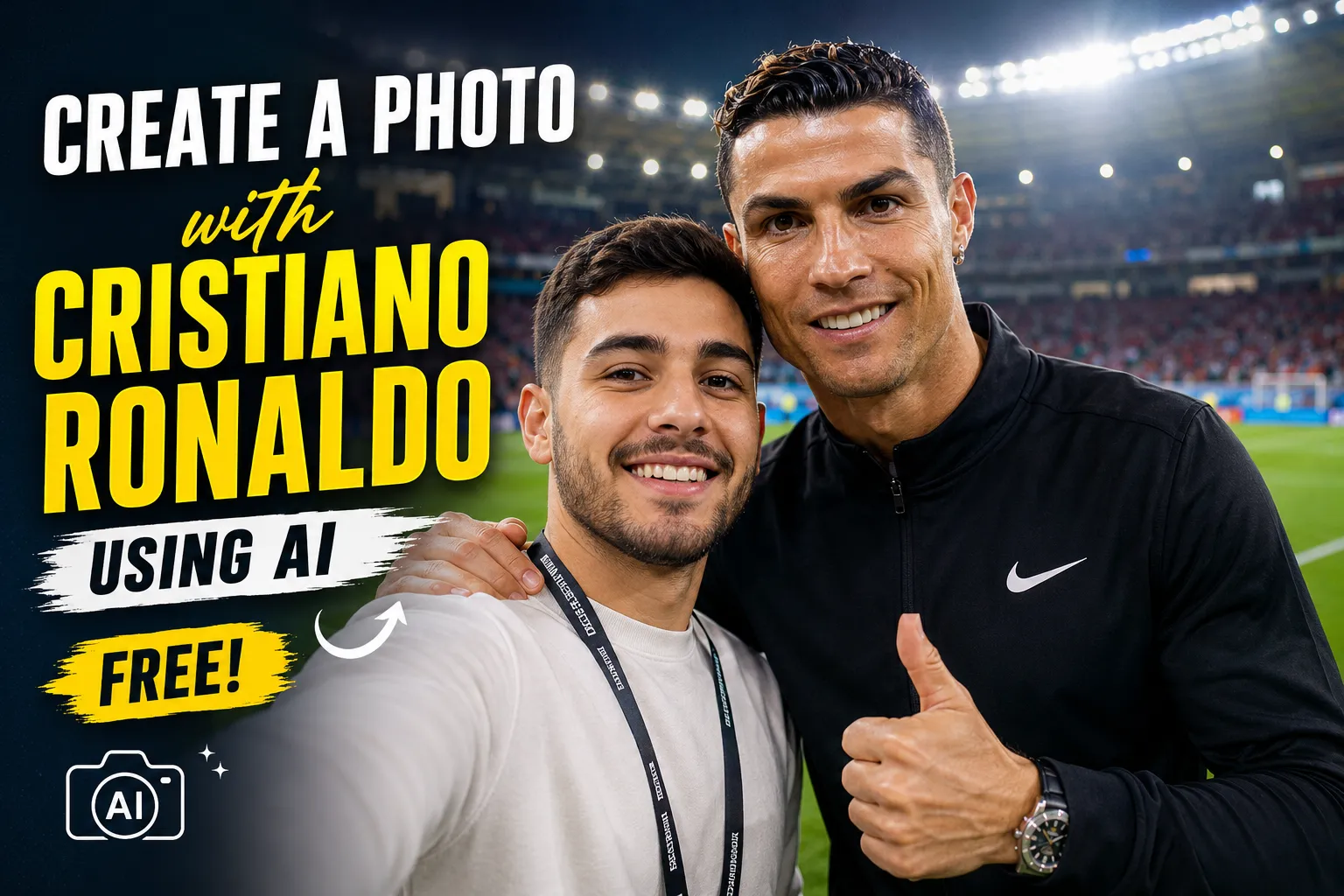
Have you ever wanted a photo of yourself standing next to Cristiano Ronaldo inside a football stadium?
You no longer need advanced Photoshop skills or expensive editing software. Modern AI image generators can combine your photo with a football-inspired scene and create a realistic fan image within minutes.
Some AI tools offer free image creation with daily or monthly limits. You normally need a clear photo of yourself, a free account, and a detailed description of the image you want.
This guide explains how to create a photo with Cristiano Ronaldo using AI, which free tools you can try, how to improve the result, and how to use the image responsibly.
Important disclosure: An AI-created photo is not proof that you met Cristiano Ronaldo. Clearly describe it as AI-generated when sharing it publicly.
Can You Create a Photo With Cristiano Ronaldo Using AI?
Yes, AI image generators can create a fictional fan photo showing you in a scene with Cristiano Ronaldo.
Depending on the tool, you may be able to:
- Upload your own selfie
- Describe the location and pose
- Select a realistic or cinematic style
- Change your clothes
- Create a stadium background
- Adjust the lighting
- Correct facial details
- Generate several versions
However, results can vary.
Some tools may create a close representation of Cristiano Ronaldo, while others may produce a football star inspired by his appearance. Certain platforms may also restrict realistic images of public figures.
If a tool refuses the request, try creating an obviously fictional fan-art image rather than attempting to present the scene as a real event.
What You Need Before Starting
| Requirement | Recommended option |
|---|---|
| Your photo | A clear, front-facing selfie |
| Image quality | Bright and high resolution |
| Facial expression | Natural smile or neutral expression |
| Background | Simple or plain background |
| AI tool | ChatGPT, Microsoft Copilot, Bing Image Creator, or Adobe Firefly |
| Account | A free account may be required |
| Internet | Stable connection |
| Time needed | Usually a few minutes |
| Editing experience | Not required |
Use a photo that belongs to you. Do not upload another person’s private image without permission.
Free AI Tools You Can Try
Several AI platforms offer free or limited free image generation.
| AI tool | Free access | Best use | Possible limitation |
|---|---|---|---|
| ChatGPT Images | Limited free image creation may be available | Uploading and transforming your own photo | Usage limits may apply |
| Microsoft Copilot | Free image creation is available | Simple text-to-image generation and editing | A Microsoft account may be required |
| Bing Image Creator | Free with a Microsoft account | Fast image creation and different visual styles | Faster generations may be limited |
| Adobe Firefly | Free monthly generative credits | Backgrounds, creative scenes, and photo effects | Public-figure results may be restricted |
| Canva AI tools | Limited free usage may be available | Social media layouts and final editing | Some features may require a paid plan |
Free plans, credits, and public-figure policies can change. Check the tool’s current limits before starting.
Method 1: Create the Image With ChatGPT
ChatGPT can generate images from text and may allow you to upload your own photo as a visual reference.
Step 1: Choose a Clear Selfie
Select a photo where:
- Your complete face is visible
- Your eyes are open
- The lighting is balanced
- Your face is not covered
- The image is not blurry
- No strong beauty filter is applied
A shoulder-up or half-body photo usually works better than a distant group photo.
Step 2: Upload Your Photo
Open the image-generation feature and upload your selfie.
Use only one main identity photo when possible. Uploading several photos with different angles, hairstyles, or lighting can sometimes confuse the generator.
Step 3: Describe the Scene
Explain exactly what you want to see.
Include:
- Your position
- Cristiano Ronaldo’s position
- Location
- Clothing
- Camera angle
- Lighting
- Facial expressions
- Image orientation
- Realistic or artistic style
You can use the following text instruction:
Use my uploaded photo as the identity reference for my face. Create a realistic fictional fan photo of me standing beside Cristiano Ronaldo inside a modern football stadium. We are both looking toward the camera with natural, friendly expressions. Cristiano Ronaldo is wearing a simple football training outfit without visible sponsor logos. Preserve my natural facial features, skin tone, hairstyle, age, and body proportions. Use realistic stadium lighting, natural shadows, accurate hands, detailed skin texture, and professional sports photography. Make the image vertical and suitable for Instagram. The final image must look polished but should remain clearly identifiable as AI-created fan art.
Step 4: Generate the First Version
Create the image and inspect the result.
Pay attention to:
- Your face
- Ronaldo’s appearance
- Hands and fingers
- Eye direction
- Body proportions
- Clothing details
- Stadium background
- Light direction
The first result may not be perfect. AI images often improve after one or two corrections.
Step 5: Request Specific Corrections
Instead of asking the tool to remake everything, describe the exact problem.
Examples:
- Keep my face closer to the uploaded photo.
- Make both faces look toward the same camera.
- Correct the fingers without changing the composition.
- Make my skin texture more natural.
- Reduce the artificial smoothness on both faces.
- Make the stadium crowd slightly blurred.
- Correct the difference in lighting between the two people.
- Keep the same scene but improve my facial identity.
- Remove incorrect text and sponsor logos.
- Make the height difference look natural.
Specific corrections usually work better than saying, “Make it better.”
Method 2: Use Microsoft Copilot or Bing Image Creator
Microsoft Copilot and Bing Image Creator can generate images from written descriptions. Bing Image Creator is available free to users with a Microsoft account, although generation speeds and limits may vary.
Step 1: Sign In
Sign in with your Microsoft account and open the image-creation feature.
Step 2: Upload Your Photo When Supported
Some editing modes allow you to upload a personal photo. If photo upload is unavailable, the tool may create only a fictional person based on your written description.
Do not expect a text-only generator to reproduce your exact identity without a reference image.
Step 3: Enter a Detailed Description
Try this version:
Create a clearly fictional, realistic fan image of an adult male football fan standing beside Cristiano Ronaldo near the players’ tunnel in a large European football stadium. Both are smiling naturally at the camera. Use dramatic but realistic stadium lighting, accurate body proportions, natural skin texture, sharp facial details, realistic hands, shallow depth of field, and professional sports photography. Do not add brand logos, incorrect writing, watermarks, or extra people.
When image upload is supported, add:
Preserve the face, hairstyle, skin tone, visible age, and natural appearance of the person in the uploaded photo.
Step 4: Select and Refine the Best Result
Generate several versions and choose the one with:
- The most natural faces
- Correct hands
- Balanced lighting
- Realistic body positions
- A clean background
- No random writing
You can then ask Copilot to change the background, outfit, pose, or lighting.
Method 3: Use Adobe Firefly
Adobe Firefly provides free monthly generative credits, although the number of credits and available features may change.
Firefly can be useful for:
- Creating a football stadium background
- Replacing a plain background
- Adding cinematic lighting
- Expanding an image
- Removing unwanted objects
- Creating a poster-style design
Firefly may be more suitable for creating the environment than producing an exact public-figure likeness.
A practical workflow is:
- Create a realistic stadium background.
- Add your own photo to the scene.
- Create a fictional famous-footballer-style figure.
- Adjust the lighting and shadows.
- Add an AI-generated disclosure before publishing.
Ready-to-Use Image Descriptions
The following descriptions can help you create different types of images.
Football Stadium Selfie
Create a realistic fictional selfie of me standing beside Cristiano Ronaldo on the edge of a football pitch after a major match. Preserve my exact facial identity from the uploaded image, including my skin tone, hairstyle, facial structure, and visible age. Both people should look naturally toward the phone camera. Use bright stadium lights, a softly blurred crowd, realistic skin, accurate hands, natural smiles, and professional mobile-camera quality. Do not add incorrect text, watermarks, distorted fingers, or duplicate people.
Training-Ground Photo
Create a clearly fictional fan photo of me meeting Cristiano Ronaldo at a professional football training ground. Preserve my natural face and appearance from the uploaded image. We are standing side by side and smiling at the camera. Ronaldo is wearing a plain black football training outfit without sponsor logos. Add green training fields, footballs in the background, soft morning sunlight, realistic shadows, natural skin texture, and balanced body proportions.
Trophy Celebration Photo
Create a cinematic fictional image of me standing beside Cristiano Ronaldo during a football trophy celebration. Keep my facial identity accurate to the uploaded photo. Show a large silver trophy between us, stadium lights, golden confetti, a cheering crowd in soft focus, and realistic sports-photography lighting. Both faces must be clear, natural, and correctly proportioned. Avoid fake writing, brand logos, extra fingers, duplicate trophies, and artificial skin.
Casual Street Photo
Create a realistic fictional street photo of me meeting Cristiano Ronaldo outside a modern hotel. Preserve my exact facial features, hairstyle, age, and natural skin tone. We are wearing smart casual clothes and standing naturally beside each other. Use warm evening light, a luxury but believable background, realistic shadows, natural expressions, detailed skin texture, and a professional full-frame camera look.
Award-Ceremony Photo
Create a polished fictional photo of me standing beside Cristiano Ronaldo at a formal football awards ceremony. Preserve my identity from the uploaded photo without beautifying or changing my age. Both of us are wearing elegant black suits and looking toward the camera. Use a premium event background, soft flash photography, realistic skin texture, correct hands, balanced height, and natural shadows. Do not add logos, unreadable text, watermarks, or extra people.
Football Jersey Exchange
Create a realistic fictional fan image showing me and Cristiano Ronaldo exchanging football jerseys after a match. Preserve my natural facial identity from the uploaded image. Use an authentic stadium tunnel, professional sports lighting, accurate hands, realistic fabric, natural body positions, and a slightly blurred background. Keep all jerseys plain without sponsor names or incorrect text.
How to Make the Photo Look More Realistic
A believable AI image depends on more than facial similarity.
Match the Lighting
Both people must appear to be standing under the same light.
If your original selfie was taken in daylight, placing it inside a dark stadium may create an unnatural result. Ask the tool to balance the light across both faces.
Use a Natural Camera Angle
Avoid impossible or extreme camera positions.
For a selfie:
- Both people should look toward the same camera.
- Their faces should have a similar focus level.
- The person holding the phone should have a believable arm position.
- Background blur should be consistent.
Keep the Height Difference Realistic
Cristiano Ronaldo is a tall athlete. A realistic height difference makes the final photo more believable.
However, do not use an exaggerated difference that makes either person look unnaturally small or large.
Avoid Complicated Hand Poses
AI generators can still make mistakes with fingers.
Simple poses work best:
- Standing side by side
- Handshake
- One arm around the shoulder
- Holding a trophy
- Looking toward a phone camera
Avoid hiding several hands behind objects or asking multiple people to hold the same item.
Remove Unnecessary Text
AI often creates incorrect writing on:
- Jerseys
- Advertising boards
- Tickets
- Badges
- Trophies
- Stadium screens
Plain clothing and logo-free backgrounds reduce these mistakes.
Use Background Blur
A slightly blurred stadium or crowd can make the two main subjects more noticeable. It can also hide small background errors.
Common Problems and Their Solutions
| Problem | Possible cause | Recommended correction |
|---|---|---|
| Your face does not look accurate | Weak or unclear reference photo | Upload a clearer front-facing selfie |
| Face looks too smooth | Excessive beautification | Request natural pores and skin texture |
| Ronaldo looks like a different person | Tool limits or public-figure restriction | Use a fictional football-star style |
| Hands look incorrect | Complicated pose | Use a simpler standing pose |
| Different light on each person | Poor image blending | Request one consistent light source |
| Bodies look too large or small | Incorrect perspective | Request realistic scale and camera distance |
| Random writing appears | AI-generated background text | Ask for plain clothing and no visible text |
| Too many people appear | Overloaded description | Request exactly two people |
| Image looks like a cartoon | Style was not clearly defined | Request realistic editorial photography |
| Your age changes | Generator beautified the face | Tell it to preserve visible age |
| Face is blurry | Wide scene or low detail | Use a closer waist-up composition |
| Photo looks fake | Excessive effects | Request natural lighting and subtle editing |
How to Preserve Your Face
When uploading your image, clearly ask the tool to preserve:
- Facial shape
- Forehead
- Eyes
- Eyebrows
- Nose
- Lips
- Jawline
- Skin tone
- Hairline
- Hairstyle
- Beard or moustache
- Visible age
- Natural expression
You can add this identity instruction:
Do not beautify, reshape, slim, rejuvenate, or replace my face. Preserve the person’s natural identity and visible age from the uploaded image.
Avoid uploading heavily edited selfies. The AI may copy the beauty filter instead of your natural appearance.
Should You Say the Photo Is AI-Generated?
Yes.
You should clearly label the image when posting it publicly. A simple disclosure can prevent people from thinking that you personally met Cristiano Ronaldo.
Suitable captions include:
- AI-generated fan image
- Created with AI for entertainment
- Fictional AI football photo
- AI fan art—not a real meeting
- Concept image created using AI
A disclosure is especially important when the picture looks highly realistic.
Uses You Should Avoid
Do not use an AI-generated Ronaldo photo to:
- Claim that you personally met him
- Create fake news
- Promote a product as if he endorsed it
- Collect money from fans
- Advertise a false event
- Impersonate him
- Sell fake autographs
- Create a fake competition
- Mislead brands or sponsors
- Damage his reputation
- Deceive social media followers
Creating a personal fan image is different from using a public figure’s likeness for fraud, false endorsement, or commercial deception.
Can You Use the Image Commercially?
Commercial use can be more complicated than personal use.
Before using the image in an advertisement, product, YouTube thumbnail, website banner, or paid campaign, consider:
- The AI tool’s terms
- Publicity and personality rights
- Trademarked club logos
- Sponsor logos
- Copyrighted photographs
- Local advertising laws
- False endorsement concerns
An AI tool allowing you to generate an image does not automatically mean you have permission to suggest that Cristiano Ronaldo supports your business.
For commercial content, use a fictional footballer rather than an exact celebrity likeness unless you have proper permission.
How to Prepare the Image for Social Media
After generating the image, crop it according to the platform where you want to post it.
| Platform | Recommended format |
|---|---|
| Instagram post | Square or 4:5 vertical |
| Instagram Story | 9:16 vertical |
| Facebook post | Square or landscape |
| TikTok cover | 9:16 vertical |
| YouTube thumbnail | 16:9 landscape |
| WhatsApp Status | 9:16 vertical |
| Website featured image | Wide landscape |
| Profile picture | Square close-up |
Keep important faces away from the outer edges because some platforms automatically crop images.
Suggested Social Media Caption
I finally got my dream photo with a football legend—through AI.
This is a fictional AI-generated fan image created for fun. It is not a real meeting or endorsement.
Frequently Asked Questions
Can I create a Cristiano Ronaldo AI photo for free?
Yes. Several AI image generators offer free access or limited free image credits. Free plans may restrict the number of images you can create.
Do I need Photoshop?
No. AI tools can create and edit the image through written instructions. Basic editing software may still help with cropping or color adjustments.
Do I need to upload my own photo?
Upload your photo if you want the result to resemble you. A text description alone will usually create a fictional person.
Which type of selfie works best?
Use a clear, well-lit, front-facing photo with a natural expression and no strong filters.
Why does my face look different?
The reference image may be blurry, dark, heavily filtered, or taken from a difficult angle. Upload a better photo and request stronger identity preservation.
Why does the tool refuse to create Cristiano Ronaldo?
Some platforms restrict realistic generations of public figures. Policies can also depend on the location, tool, and type of request.
You can try a clearly fictional fan-art version or use a generic world-famous footballer instead.
Can I post the image on Instagram?
Yes, for normal personal use. Clearly state that the image was created with AI and is not a real meeting.
Can I use the image in an advertisement?
Using a celebrity’s likeness in commercial advertising may create legal and false-endorsement issues. Use a fictional footballer or obtain proper permission.
Can I create a photo of my child with Ronaldo?
A parent or guardian can create a harmless fan image using the child’s photo. Avoid sharing personal details, school information, addresses, or other identifying information publicly.
How many images should I generate?
Generate three or four versions and compare the faces, hands, lighting, and body proportions. Select the most natural result.
Can AI make the photo completely realistic?
AI can create a highly convincing image, but small mistakes may remain. Look closely at fingers, eyes, teeth, clothing, reflections, and background writing.
Final Thoughts
Creating a fictional photo with Cristiano Ronaldo using AI is now possible without advanced design skills.
For the best result:
- Upload a clear personal photo
- Describe the scene carefully
- Use a simple pose
- Match the lighting
- Preserve natural facial details
- Correct hands and background text
- Generate several versions
- Clearly label the final image as AI-generated
The most important rule is honesty. Enjoy the creative result, but never present an AI fan image as proof of a real meeting, endorsement, or business relationship.